If you are wondering how to get IPTV, the good news is that it is far simpler than getting cable installed. There is no engineer visit, no dish on the wall, no contract and no box from the TV company. You need four things — a decent internet connection, a screen, a player app and a subscription — and most people go from nothing to live channels in under twenty minutes.
This guide walks through the whole thing in order: what IPTV actually is, what equipment you need, how to pick a provider without getting burned, how the login works, and how to set it all up on the device you already own. If you have never used IPTV before, start at the top. If you already have a subscription and just need the setup, jump to step 5.
Quick takeaways
- To get IPTV you need internet (about 15 Mbps for HD, 25 Mbps for 4K), a device, a player app and a subscription.
- Most homes already own a device that works — a Firestick, an Android or Google TV box, a smart TV, a phone or a laptop.
- Test before you commit: use a free trial or a one-month plan, ideally during a big live match.
- Your provider sends a login (Xtream Codes, an M3U link or a MAC portal). You type it into the app once.
What is IPTV, in plain English?
IPTV stands for Internet Protocol Television: TV delivered over your internet connection instead of a cable, an aerial or a satellite dish. Instead of tuning to a broadcast frequency, your device asks a server for a stream, the same way Netflix or YouTube work. The difference is that an IPTV subscription gives you live channels arranged like a normal TV line-up, with a TV guide, plus a library of films and series on demand.
Because everything runs through an app, one subscription works on a television, a phone, a tablet and a laptop. You are not tied to one room or one box, and you can take it with you when you travel.
What you need to get IPTV
| Item | What it is | Typical cost |
|---|---|---|
| Internet connection | About 15 Mbps for Full HD, 25 Mbps or more for 4K, per screen | Already on your bill |
| A device | Firestick, Android / Google TV box, smart TV, Apple TV, phone or computer | $0 if you own one, $30–$100 new |
| A player app | The software that plays the channels: IPTV Smarters Pro, TiviMate, IBO Player and others | Free to a few dollars |
| A subscription | The service that supplies the channels and your login | Typically $10–$20 a month |
That is the whole shopping list. Notice what is missing: no satellite dish, no set-top box rental, no installation appointment and no credit check.
Step 1 — Check your internet speed
Run a speed test on the device you will actually watch on, not on your phone sitting next to the router. A Firestick behind the TV on 2.4 GHz Wi-Fi can get a third of the speed your phone sees in the hallway. As a rule of thumb:
- 10 Mbps — SD and most HD channels on one screen.
- 15 Mbps — comfortable Full HD on one screen.
- 25 Mbps or more — 4K, or two HD screens at once.
A stable connection matters more than a big headline number. A wired Ethernet cable or 5 GHz Wi-Fi beats a faster plan on a weak signal every time. If you already have IPTV and it stutters, our buffering fix guide goes through twelve fixes in order.
Step 2 — Choose your device
You probably own something that works already. Here is the short version; the full comparison is in our guide to the best streaming device for IPTV.
- Amazon Firestick — the most popular choice. Cheap, plugs into any HDMI port, and runs the main IPTV apps. See how to install IPTV on a Firestick.
- Android TV and Google TV boxes — the widest choice of apps, including TiviMate, straight from the Play Store.
- Samsung and LG smart TVs — no extra box; you install a player app from the TV’s own store.
- Apple TV, iPhone and iPad — App Store players such as IPTVX or iPlayTV.
- Windows and Mac — VLC works for free. See how to watch IPTV on VLC.
- MAG and Formuler boxes — dedicated IPTV boxes that log in through a portal.
Step 3 — Pick a provider (and what to check before paying)
This is the step people rush, and it is the one that decides whether you end up happy. Before you pay anyone, check these seven things:
- A free trial or a cheap first month. Test it on your own TV and your own internet, and if you can, during peak time — Saturday evening or a big match. Anything works at 10am on a Tuesday.
- The channels you actually watch. A huge channel count means nothing if your local news or your team’s matches are missing. Ask for the list.
- One-time payment or auto-renew. Know which one you are signing up for.
- Connections. How many screens can watch at the same time on one plan?
- Support you can reach. Send a question before you pay and see how fast a real person replies.
- A written refund policy. If it is not written down, it does not exist.
- A price that makes sense. A couple of dollars a month usually means overloaded servers. Our guide to how much IPTV costs shows the normal range.
Reddit threads are useful for spotting which services fall over on match days; we summarised what people there actually recommend in the best IPTV according to Reddit.
Step 4 — Get your login details
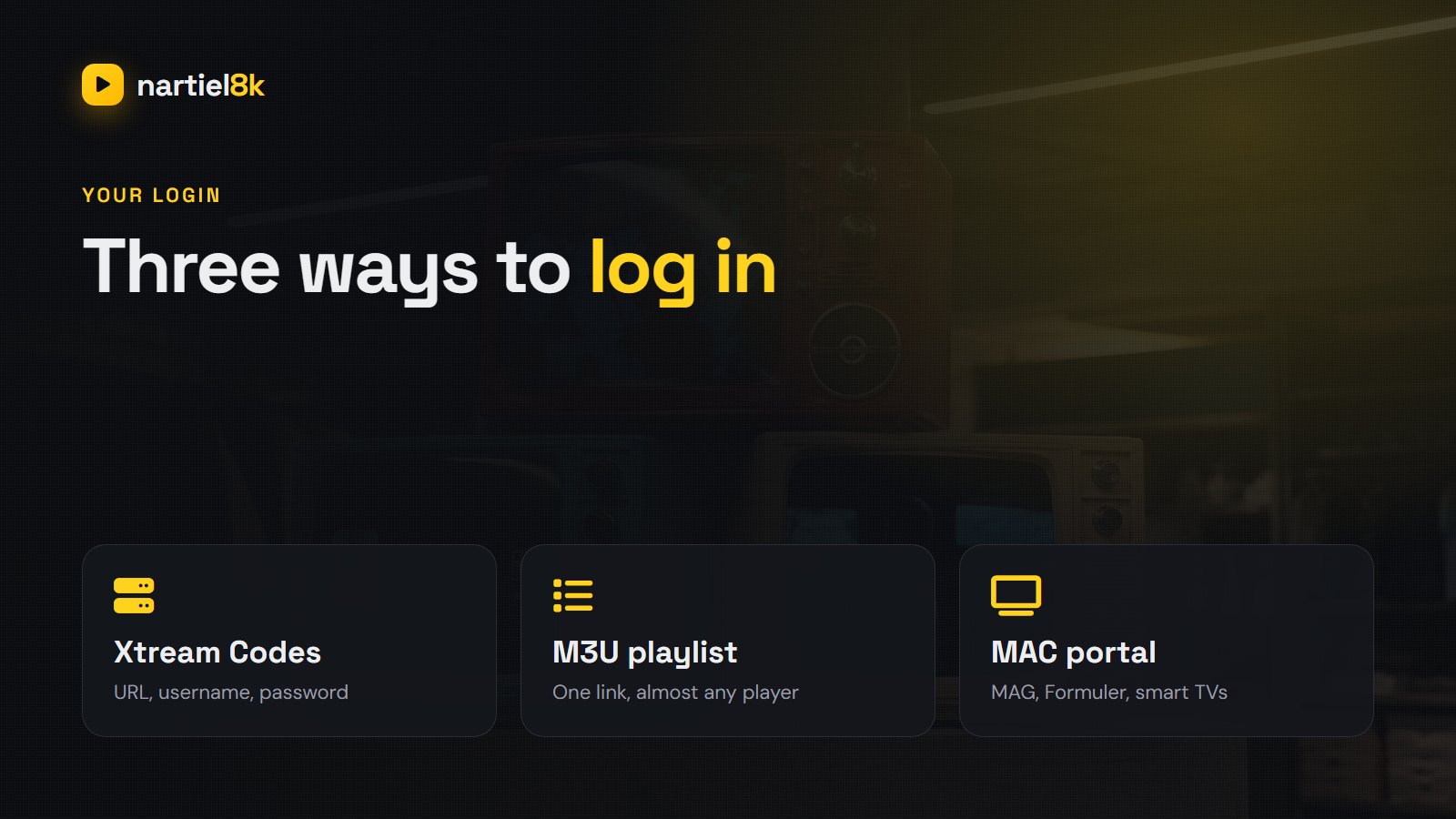
After you order, the provider sends your login. It comes in one of three formats:
- Xtream Codes — a server URL, a username and a password. This is the easiest: the app loads live TV, movies, series and the TV guide automatically. IPTV Smarters Pro, TiviMate and IBO Player all accept it.
- M3U playlist — one long link (or a small file) that lists every channel. It works in almost every player, including VLC. The TV guide is a separate link; see what EPG is and how to add it.
- MAC portal — for MAG boxes, Formuler and some smart TV apps. You send the provider your device’s MAC address and they activate it on a portal URL.
You do not have to work out which one you need. Tell the provider what device you are using and they will send the right format.
Step 5 — Install a player app
The player app is the bit you actually look at. It is empty until you add a login — player apps do not come with channels of their own. Good choices by device:
| Device | Recommended app | Where to get it |
|---|---|---|
| Firestick | IPTV Smarters Pro, TiviMate | The Downloader app, or the Amazon Appstore where listed |
| Android TV / Google TV | TiviMate, IPTV Smarters Pro | Google Play Store |
| Samsung / LG TV | IBO Player and similar | The TV’s app store |
| Apple TV / iPhone / iPad | IPTVX, iPlayTV, Smarters Player Lite | App Store |
| Windows / Mac | VLC, IPTV Smarters desktop | The official websites |
| MAG / Formuler | Built-in portal, MyTVOnline | Pre-installed |
For a detailed comparison, including which apps are free and which charge a small fee, see our round-up of the best IPTV player apps.
Step 6 — Enter your login and load the channels
In IPTV Smarters Pro, choose Login with Xtream Codes API, type any name you like, then the username, password and server URL exactly as they were sent (keep the http:// and the port number at the end). Tap Add user. The first load takes a minute or two while the app downloads the channel list, the movie library and the TV guide.
In TiviMate, choose Add playlist → Xtream Codes, enter the same three details and press Next. Our IPTV Smarters Pro guide and the device-by-device setup guide cover every screen with photos.
Step 7 — Make it feel like real TV
- Build a favourites list. Nobody scrolls through thousands of channels. Star the 20 you watch and open that list by default.
- Refresh the TV guide if some channels show “No information”.
- Set a parental PIN if children use the TV; most apps can lock whole categories.
- Turn on auto-start so the app opens when the TV turns on (TiviMate and some Android boxes support this).
- Use catch-up on channels that show a clock or archive icon to rewatch programmes from the last few days.
How to use IPTV day to day
Live TV is organised by country and category — UK Sports, USA News, Canada Entertainment and so on. Open the guide grid to see what is on now and next across channels, exactly like a cable box. Movies and series sit in their own sections with posters, search and “continue watching”. Catch-up, where the provider offers it, lets you go back to a programme that already aired. Some apps, TiviMate in particular, can also record to the device’s storage.
Common first-day problems (and quick fixes)
| Problem | Usual cause | Fix |
|---|---|---|
| “Invalid username or password” | A typo or an extra space | Retype the login; check capital letters and the server URL with http:// and the port |
| Channels load but no guide | The guide has not downloaded yet | Refresh EPG in the app settings |
| Buffering | Weak Wi-Fi or a busy network | Use 5 GHz or Ethernet, restart the router, try the HD version of the channel |
| “Max connections reached” | Another screen is using the line | Close the app on the other device |
| App won’t install on Firestick | Unknown sources is off | Allow installs for Downloader in Developer Options |
Can you get IPTV for free?
You will find “free M3U lists” posted online. In practice they stop working within days, many come bundled with ad-stuffed “free player” apps you should not install, and they are often scraped from someone else’s paid service. If the goal is to see whether IPTV suits you, a free trial from a paid provider is the safer way to test: you get a working line on your own device for a day, then decide.
If you would like to try ours, Nartiel8K has a 24-hour free trial with no card, and plans from $15 if you decide to stay.
Frequently asked questions
Connect a streaming device such as a Firestick or Google TV box, or use your smart TV’s app store, install an IPTV player app, then enter the login your provider sends you. Most people finish in 10 to 20 minutes.
No. Any Firestick, Android or Google TV box, Apple TV, recent Samsung or LG smart TV, phone or computer can play IPTV with the right app. Dedicated boxes like MAG or Formuler are optional.
About 10 to 20 minutes the first time: install the player app, enter your login and wait a minute or two while the channels and TV guide load. After that it opens instantly.
Around 15 Mbps for Full HD and 25 Mbps or more for 4K, per screen. A stable wired or 5 GHz Wi-Fi connection matters more than the headline speed.
You can install the app on as many devices as you like, but the number that can watch at the same time depends on your plan’s connections. A single-connection plan plays on one screen at a time.
Most subscriptions cost $10 to $20 for one month and much less per month on 6 or 12 month plans. See our full breakdown of IPTV prices and hidden costs.
Related reading
Which box or stick plays IPTV best? Memory, Ethernet, app support and price compared, plus the…
Install a player with Downloader, log in with your Nartiel8K details and tune the Fire TV…