EPG stands for Electronic Program Guide — the on-screen TV guide that shows what is on now, what is on next and the schedule for the coming days. On cable it comes built into the box. On IPTV it is a separate data feed that your player app downloads and matches to your channels. When the matching works, you get a guide that looks just like Sky or cable. When it does not, you get blank rows, “No information”, or programmes shifted by an hour.
This guide explains where IPTV guide data comes from, how it is matched to channels, and how to fix a missing or wrong EPG in IPTV Smarters Pro, TiviMate, Kodi and the rest.
Quick takeaways
- EPG means Electronic Program Guide: the TV schedule inside your IPTV app.
- It comes as an XMLTV file. With an Xtream Codes login, the app loads it automatically.
- Each channel is matched to the guide by an ID called tvg-id. No match, no guide.
- Most problems are fixed by refreshing the EPG or correcting the time shift.
What EPG means on IPTV
The EPG is what turns a long list of channels into something that feels like television. It powers the guide grid (channels down the side, time across the top), the now and next banner when you change channel, the programme information screen, and, in apps that support it, reminders, recordings and catch-up.
Where IPTV guide data comes from
IPTV guides use a standard format called XMLTV: a file listing every channel and every programme with its start time, end time, title and description. How it reaches your app depends on your login:
- Xtream Codes logins (server, username, password) — the app fetches the guide from the provider automatically. This is one of the main reasons Xtream is easier than M3U.
- M3U playlists — the guide is a separate link. Some playlists name it in their first line (
url-tvg="...") and the app picks it up; otherwise you paste the EPG link into the app yourself. - MAC portals (MAG, Formuler) — the portal delivers the guide along with the channels.
How channels are matched to the guide
Every channel in an M3U playlist has a line like this:
#EXTINF:-1 tvg-id="BBCOne.uk" tvg-name="BBC One" tvg-logo="https://.../bbc1.png" group-title="UK | Entertainment",BBC OneThe tvg-id must match a channel ID in the XMLTV file:
<channel id="BBCOne.uk">...</channel>
<programme start="20261003190000 +0100" stop="20261003200000 +0100" channel="BBCOne.uk">
  <title>The One Show</title>
</programme>
If the IDs match, the guide appears. If the playlist says BBC1.uk and the guide says BBCOne.uk, that channel shows “No information” even though the data exists. The +0100 at the end of each time is the time-zone offset, which is where “one hour out” problems come from.
Why the EPG matters more than people think
- Finding the match. With thousands of channels, the guide is how you find which channel is showing the game.
- Catch-up uses guide times to know where each programme starts. A wrong guide means catch-up starts in the wrong place.
- Recordings in apps like TiviMate start and stop on guide times.
- Family use. People who grew up with a TV guide will not use IPTV without one.
How to load or refresh the EPG in popular apps
- IPTV Smarters Pro — the guide downloads after you first log in with Xtream Codes. If it is missing or stale, use the refresh or Install EPG option (its position varies by version), and correct the clock under the EPG time shift setting where your version offers it. Full walkthrough in our Smarters Pro guide.
- TiviMate — in Settings, open the EPG section to see your guide sources, update them by hand, set how often they update, and adjust the EPG time shift. TiviMate also lets you assign guide data to a single channel by hand.
- IBO Player and smart TV apps — the guide usually loads with the playlist. Use the reload or refresh option in settings, or remove and re-add the playlist.
- Kodi (PVR IPTV Simple Client) — add the XMLTV link in the add-on’s EPG settings, then clear and reload the guide under Settings → PVR & Live TV → Guide.
- VLC — plays the channels but has no guide grid at all; see IPTV on VLC for when that is fine and when to switch.
How to fix a missing or wrong EPG
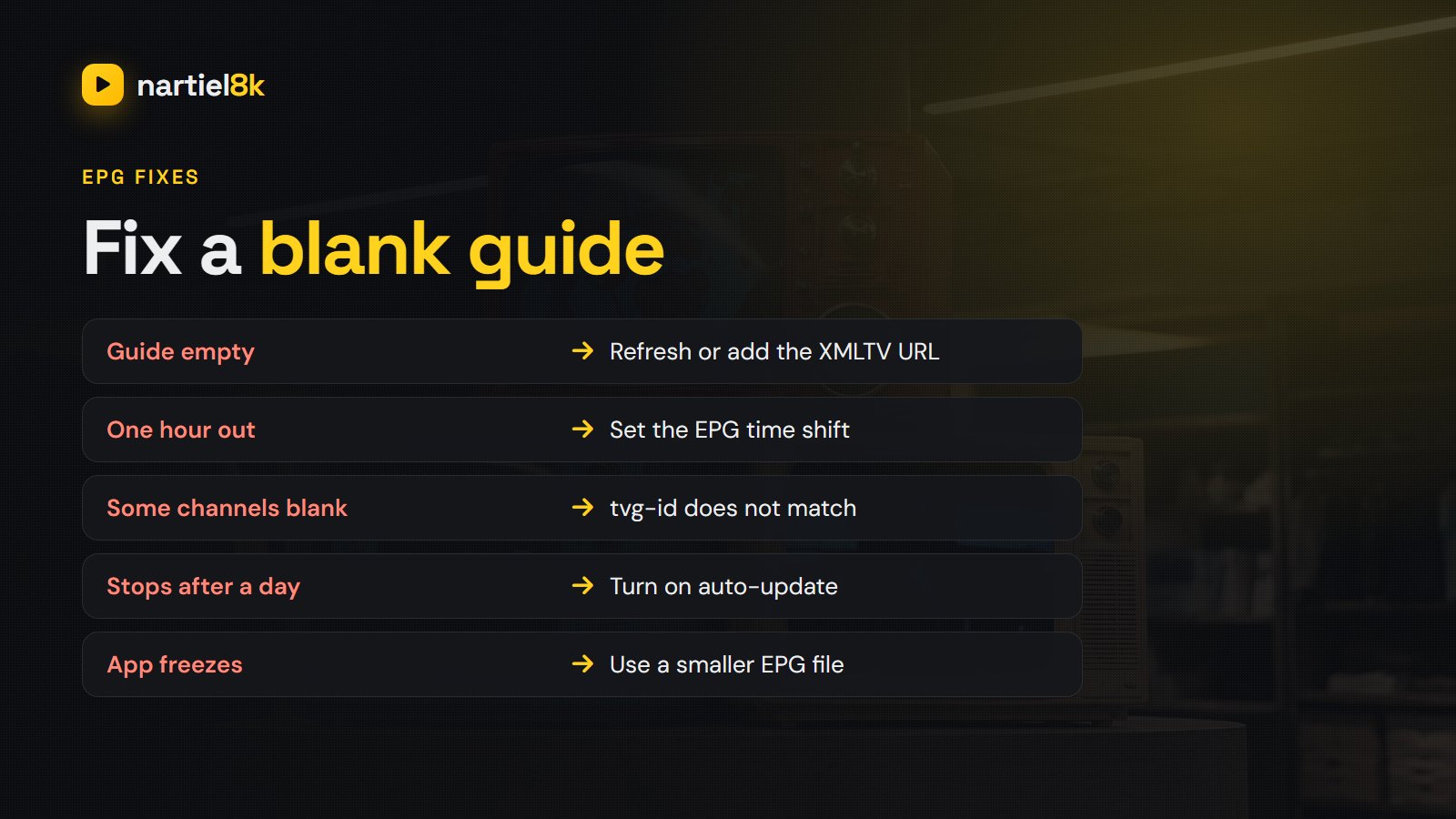
| Symptom | Likely cause | Fix |
|---|---|---|
| Guide completely empty | Never downloaded, or the EPG link is wrong | Refresh the EPG; on M3U, add the XMLTV link |
| Some channels blank, others fine | tvg-id mismatch, or no data for that channel | Try another version of the channel; assign guide data by hand in TiviMate; tell your provider |
| Programmes an hour (or more) out | Time-zone or daylight-saving mismatch | Set the EPG time shift in the app; check the device time zone |
| Guide stops after a day or two | The EPG is not updating | Turn on automatic updates, or update by hand |
| Guide loads slowly or the app freezes | A very large XMLTV file | Filter the playlist, use a wired connection, ask for a lighter EPG |
| Wrong programme on a channel | The channel is mapped to the wrong guide ID | Report it to your provider with the channel name |
The “one hour out” problem and daylight saving
Twice a year the clocks change, and guides that do not carry the right offset slip by an hour. In 2026 the UK goes back to GMT on Sunday 25 October, and the US and Canada leave daylight saving time on Sunday 1 November. If your guide is suddenly an hour out around those dates, first check that the device’s own time zone is set correctly (automatic is best), then refresh the EPG. If it is still wrong, use the EPG time shift setting in the app to move it by one hour.
Does every channel have a guide?
No. Major channels in the UK, US and Canada almost always have full guide data. Smaller international channels, 24/7 channels that loop one show, and one-off event channels for pay-per-view fights or matches often have none, or just the channel name. That is normal and not a fault with your app.
What a good provider should give you
At minimum: a guide that loads automatically with an Xtream login, around a week of listings for the main channels in your country, channel logos, and quick fixes when a channel is mapped wrong. Nartiel8K logins include a 7-day guide for the main UK, US and Canadian channels; you can check it for yourself on the free 24-hour trial, and the full line-up is on the channel list.
Frequently asked questions
EPG stands for Electronic Program Guide. It is the TV guide in your IPTV app showing what is on now, what is next and the schedule for the coming days.
Usually the guide has not downloaded yet or the EPG link is missing. Refresh the EPG in your app’s settings; on an M3U playlist, add the XMLTV link your provider gave you. If only some channels are blank, their IDs do not match the guide.
Use the refresh or Install EPG option in the app, which re-downloads the guide from your provider. If times are wrong, adjust the EPG time shift in settings where your version offers it.
A time-zone or daylight-saving mismatch. Set your device to the correct time zone, refresh the guide, and if needed use the EPG time shift setting to move it by an hour.
It is the web address of the guide file in XMLTV format. Apps that use an M3U playlist need it to show programme times. With an Xtream Codes login it usually loads automatically.
No. Major UK, US and Canadian channels almost always do, but small international channels, 24/7 channels and one-off event channels often have little or no guide data.
Related reading
What American households get with Nartiel8K: local ABC, CBS, NBC and FOX, every major league, premium…
TiviMate setup with Nartiel8K: install it on Firestick or Android TV, log in with Xtream Codes,…