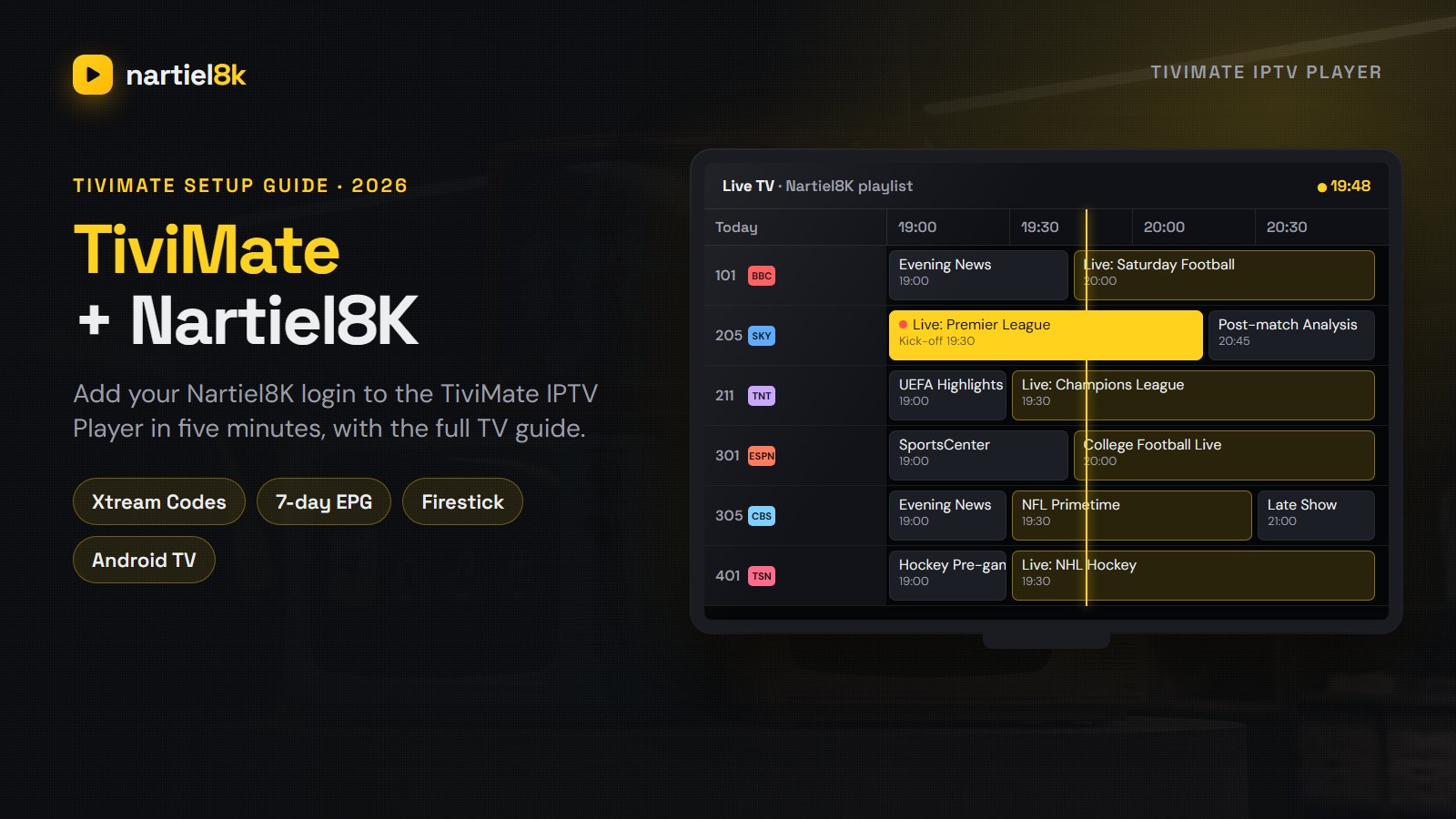
TiviMate is the IPTV player most people keep once they try it: a cable-style TV guide, fast channel switching and a layout built for a remote. It comes with no channels, though. You add a subscription to it, and this guide shows how to do that with Nartiel8K: installing TiviMate on a Firestick or an Android TV, logging in with Xtream Codes, loading the 7-day TV guide, choosing between TiviMate Free and Premium, and the settings that keep live sport smooth. Set aside about ten minutes.
Quick takeaways
- TiviMate is the player app. Nartiel8K is the channel subscription you load into it.
- It runs on Android-based TV devices: Fire TV Stick, Google TV, Nvidia Shield, Android TVs and TV boxes.
- Log in with Xtream Codes (server, username, password) and the TV guide and movie library load on their own.
- The free version is enough to watch. Premium adds favourites, catch-up, recording and multi-view.
- For 4K, set the buffer to Large and use Ethernet or 5 GHz Wi-Fi.
Good to know
- TiviMate is made by an independent developer, AR Mobile Dev, and is not affiliated with Nartiel8K. Everything you watch comes from the subscription you add to it.
What is TiviMate?
TiviMate IPTV Player is an Android TV app that turns an IPTV subscription into something that looks and behaves like a cable or satellite box. Instead of scrolling a long list of channel names, you get a programme grid with what is on now, what is on next and the rest of the week, grouped by country and category. It is developed by AR Mobile Dev and published on the Google Play Store for Android TV and Google TV devices.
Three things set it apart: the best TV guide of any IPTV app, speed even with tens of thousands of channels loaded, and a remote-control layout that makes sense. It also handles the movie and series library of an Xtream Codes login, so live TV and on-demand sit in one app.
Why TiviMate and Nartiel8K work well together
A player is only as good as the line you load into it, and the reverse is just as true. A Nartiel8K plan carries 80,000+ live channels, 240,000+ movies and series and a 7-day TV guide (EPG). In a basic player that much content is hard to browse. In TiviMate it becomes a proper channel guide: the UK, USA and Canada groups line up like a cable menu, catch-up appears on supported channels, and the guide data fills in by itself because Nartiel8K delivers it through the same Xtream Codes login.
Most of our Firestick and Android TV customers use TiviMate, so it is the app our WhatsApp support knows best. Not ordered yet? Test the two together with the free 24-hour Nartiel8K trial before you pay anything.
Which devices can run TiviMate?
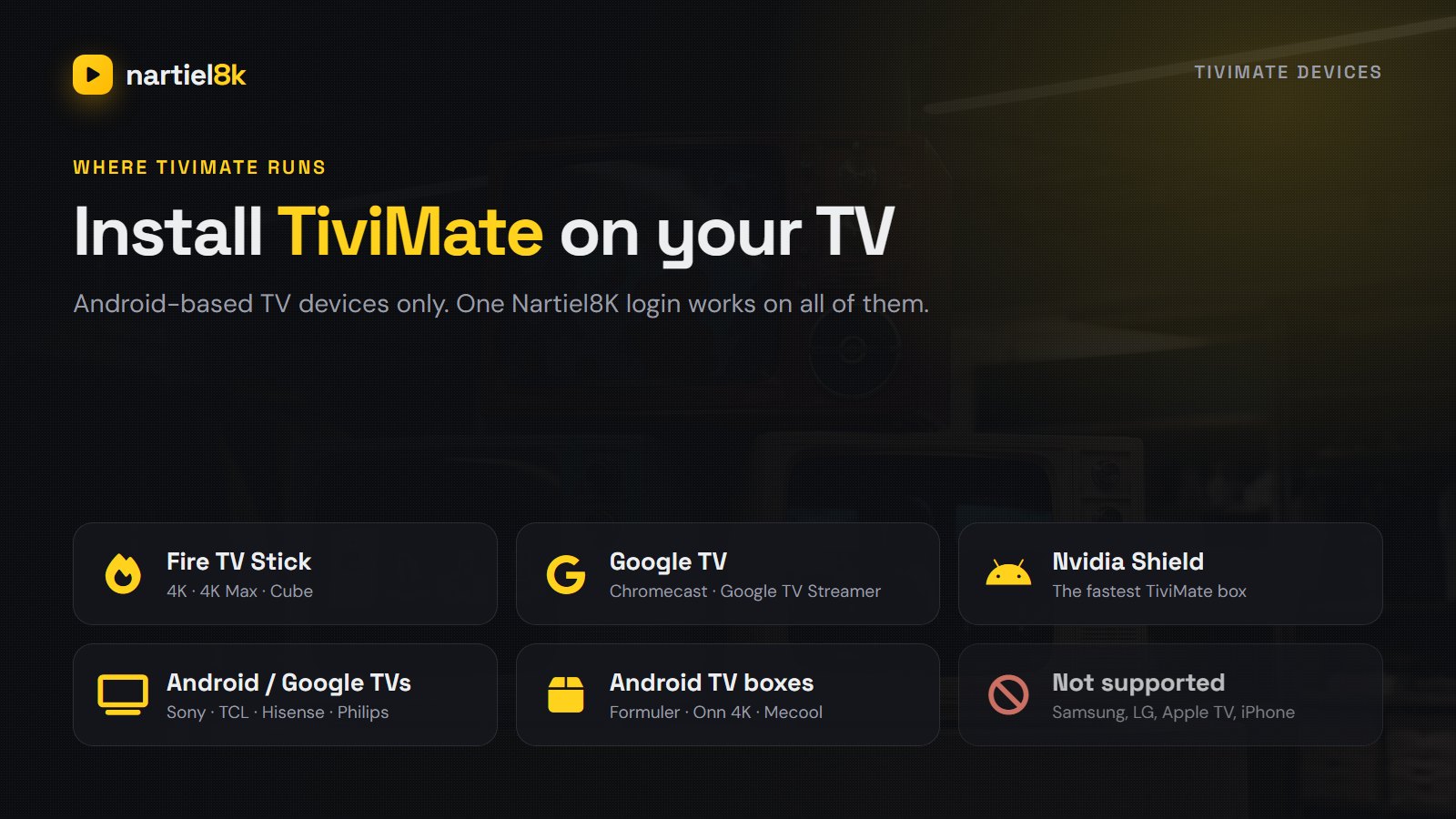
TiviMate is an Android app built for televisions, so it runs on devices that use Android TV, Google TV or Amazon’s Fire OS:
- Amazon Fire TV Stick (HD, 4K and 4K Max) and the Fire TV Cube, installed with the Downloader app.
- Google TV devices: Chromecast with Google TV, the Google TV Streamer and the Onn 4K box.
- Nvidia Shield TV, the fastest box for large channel lists.
- TVs with Android TV or Google TV built in, which includes many Sony, TCL, Hisense and Philips models.
- Android TV boxes such as Formuler and Mecool.
It does not run on Samsung (Tizen) or LG (webOS) TVs, Roku, Apple TV, iPhone or iPad. On those, use IBO Player or IPTV Smarters Pro with the same Nartiel8K login, as explained in the Nartiel8K setup guide. One more trap: the Fire TV Stick 4K Select runs Amazon’s Vega OS instead of Fire OS and cannot install TiviMate, so check the model before buying a new stick. Our streaming device guide compares the options.
How to install TiviMate
On Android TV, Google TV and Nvidia Shield
- Open the Google Play Store on the TV device itself, not on your phone.
- Search for TiviMate and pick TiviMate IPTV Player by AR Mobile Dev.
- Select Install, then Open.
If the Play Store on your phone says the app is not available for your device, that is normal: the listing is meant for TVs.
On Amazon Fire TV Stick and Fire TV Cube
TiviMate is not in the Amazon Appstore, so on a Firestick you install it with Downloader:
- On the Fire TV home screen, search for Downloader (the orange app by AFTVnews) and install it.
- Go to Settings, My Fire TV, Developer options, Install unknown apps and switch Downloader on. If Developer options is missing, open About and click your device name seven times.
- Open Downloader and enter the download link published on the official TiviMate website. Do not use links copied from video comments or forums.
- Select Install, then let Downloader delete the installer file to free up space.
The full Fire TV walkthrough, with tuning tips for the stick itself, is in Nartiel8K on Firestick.
How to add Nartiel8K to TiviMate with Xtream Codes
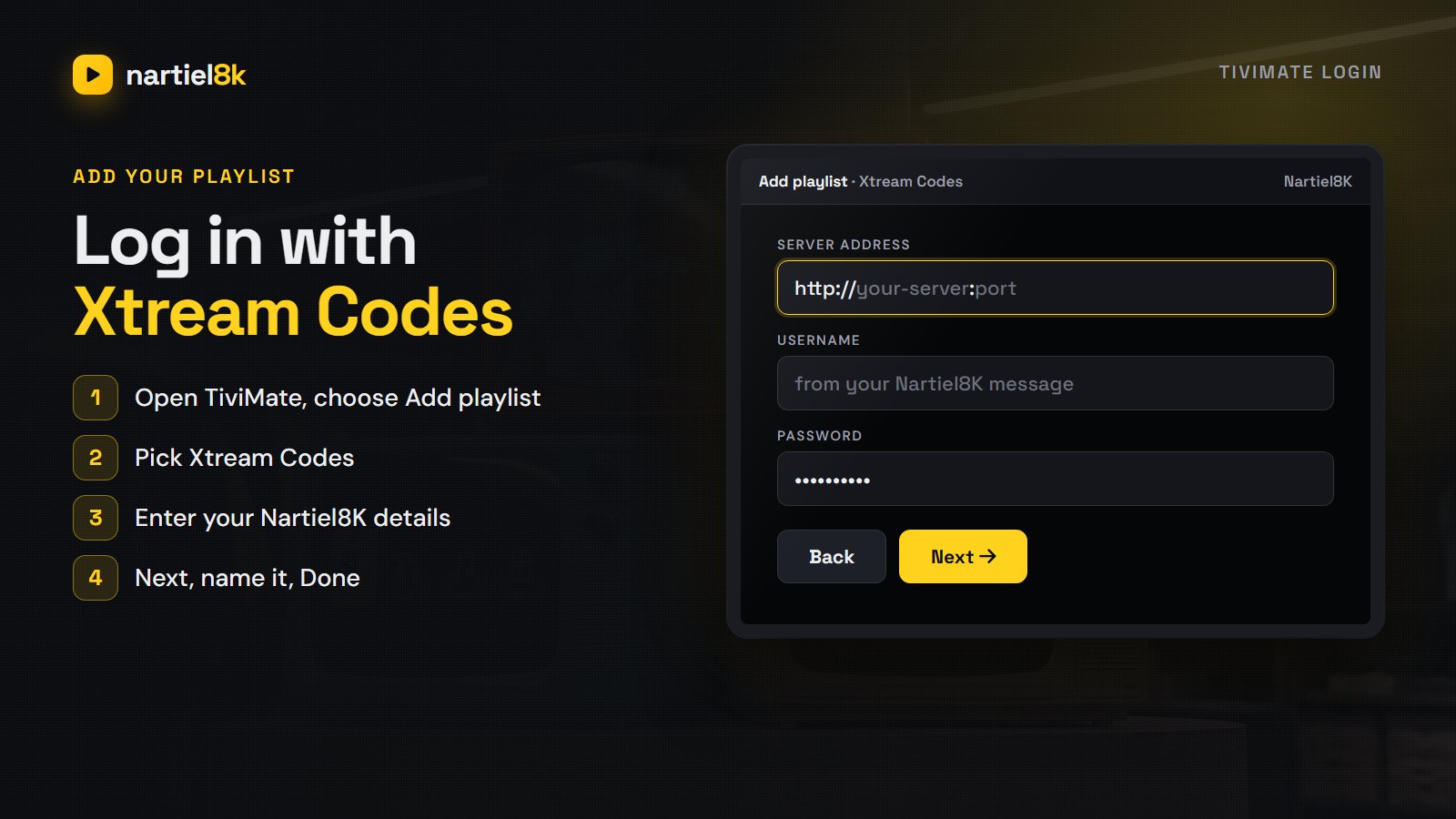
When you order or start a trial, Nartiel8K sends three details on WhatsApp: a server URL, a username and a password. Together they are an Xtream Codes login, and that is the best way to connect TiviMate, because the live channels, the movie and series library and the TV guide all load from it automatically.
- Open TiviMate. On first launch it shows Add playlist. Later you find the same option under Settings, Playlists.
- Choose Xtream Codes.
- Type the server address exactly as sent, including
http://and the port number after the colon. - Enter your username and password, then select Next.
- TiviMate checks the login and shows how many channels, movies and series it found. Select Next, name the playlist (for example Nartiel8K) and choose Done.
The first load takes a minute or two while the guide downloads. After that, TiviMate opens straight onto live TV.
| Field in TiviMate | What to enter | Common mistake |
|---|---|---|
| Server address | The URL from our message, with its port | Leaving out http:// or the :port |
| Username | Exactly as sent | The keyboard adds a capital letter |
| Password | Exactly as sent | A space pasted at the end |
Using an M3U link instead
Prefer an M3U playlist? Ask support for your M3U link and choose the playlist URL option instead of Xtream Codes. If the guide stays empty, add the XMLTV (EPG) link we send as an EPG source in TiviMate’s EPG settings. Xtream Codes is still the better choice: movies and series get their own sections and catch-up works without extra setup.
Getting around the TiviMate TV guide
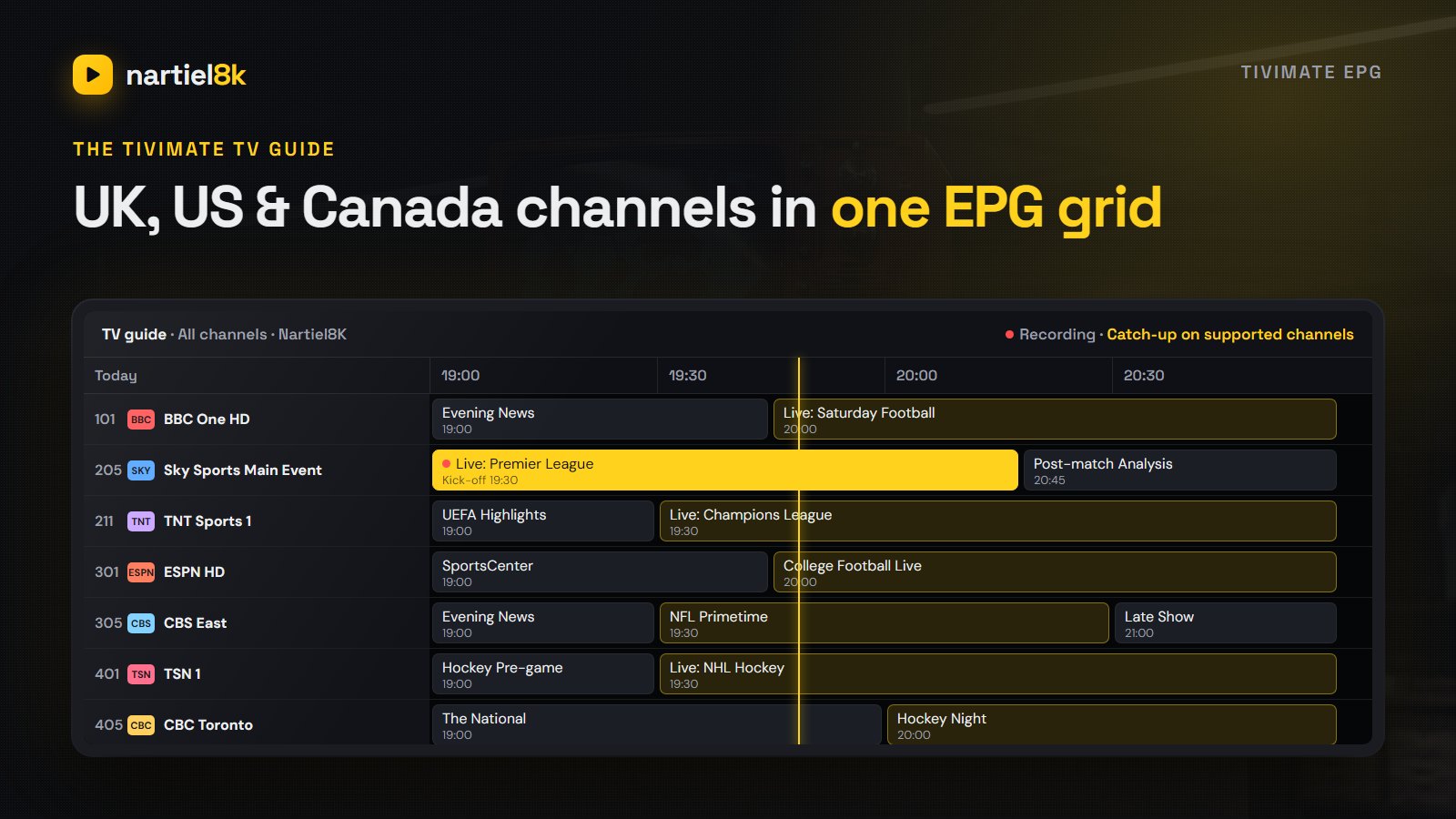
The guide is why people choose TiviMate. Press OK while watching to open the channel list with the guide beside it, or open TV guide from the left menu for the full grid. Channels are grouped by country and type, so UK sports, US locals and Canadian channels each sit in their own group.
- Change channel fast: up and down on the remote zaps while you watch.
- See what is coming up: scroll right in the grid to look up to seven days ahead.
- Go back in time: on channels with catch-up, scroll left to a programme that has already aired and press OK to play it. Catch-up needs TiviMate Premium.
- Movies and series: the left menu has separate sections filled from the Nartiel8K on-demand library.
If the grid shows channel names but no programme information, the guide simply has not downloaded yet; the fixes below cover it. For what EPG is and where the data comes from, see what is EPG on IPTV.
TiviMate Free vs TiviMate Premium
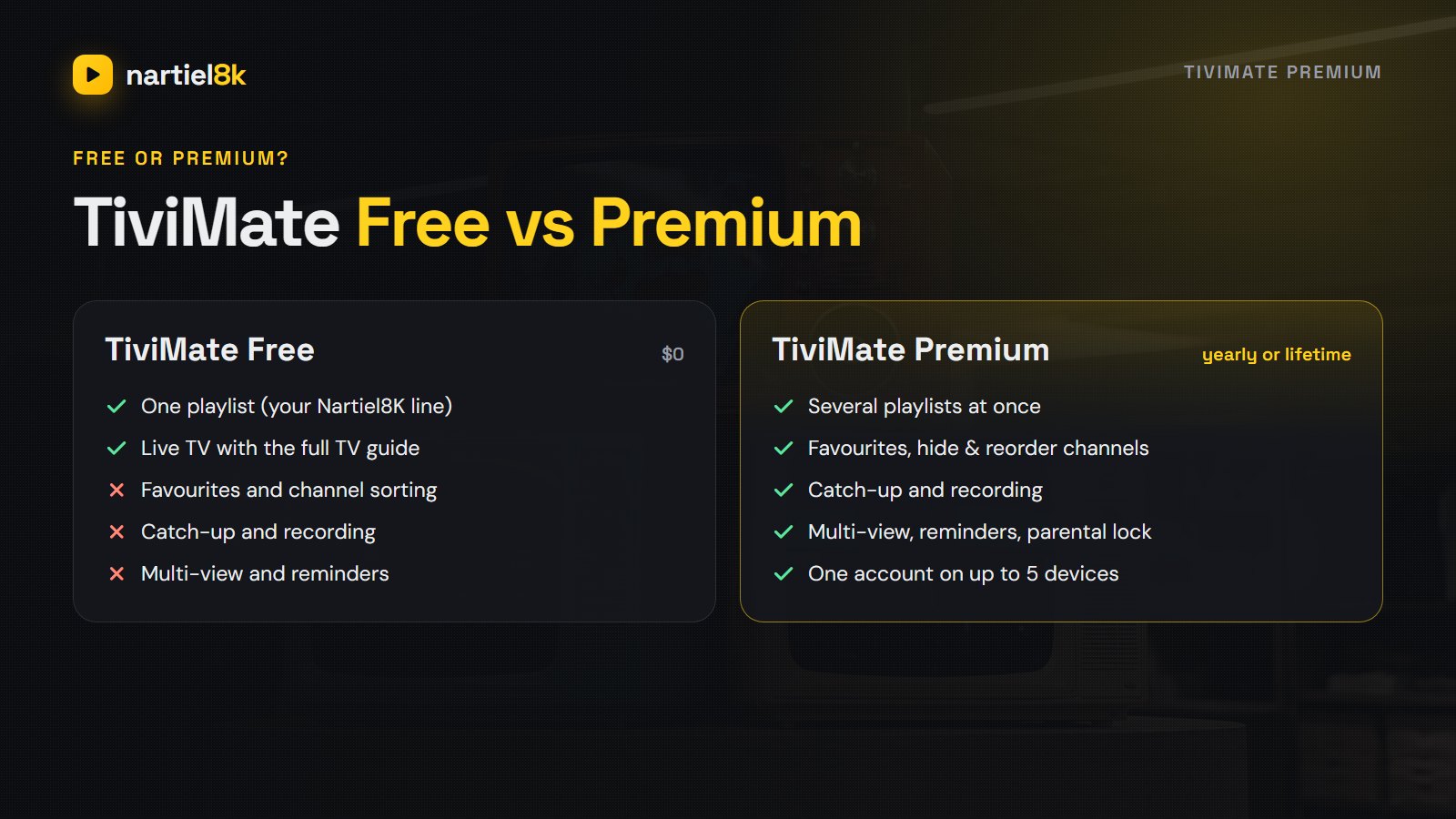
TiviMate is free to download, and the free version is enough to watch Nartiel8K: one playlist, live TV and the full TV guide. TiviMate Premium is a paid upgrade sold by the developer, not by us, and it unlocks the features that make TiviMate feel like a real cable box.
| Feature | TiviMate Free | TiviMate Premium |
|---|---|---|
| Playlists | One | Several |
| Live TV with the TV guide | Yes | Yes |
| Favourites and your own channel order | No | Yes |
| Catch-up on supported channels | No | Yes |
| Recording to USB or internal storage | No | Yes |
| Multi-view (several channels on one screen) | No | Yes |
| Reminders and parental lock | No | Yes |
| Devices per purchase | Any | Up to 5 |
How to buy it: Premium is bought in the TiviMate Companion app on an Android phone. You create an account there and choose a yearly plan or a one-time lifetime purchase; the app shows the current price in your currency. Then, in TiviMate on the TV, open the settings, go to the Premium section and sign in with the same account. One purchase covers up to five devices.
Is it worth it? If you watch sport, yes. Catch-up lets you restart a match from kick-off on supported channels, and favourites turn 80,000 channels into the twenty you actually watch. Otherwise the free version is fine, and you can upgrade later without setting anything up again.
Avoid “TiviMate Premium free” APKs
Modified “TiviMate Premium unlocked” files are easy to find on forums. Skip them: they come from unknown sources, can carry adware onto a device signed in to your Amazon or Google account, break after updates and cut off the developer. Install TiviMate from the Play Store or its official website, and buy Premium in the Companion app.
The best TiviMate settings for Nartiel8K
- Buffer size: Settings, Playback, Buffer size, then Large. Channels start a second later, but short connection dips no longer freeze live sport.
- Auto frame rate: in the playback settings, turn on auto frame rate (AFR) if your TV supports it. UK football at 50 frames per second and US broadcasts at 60 then play without judder.
- Automatic updates: let TiviMate refresh the playlist and the guide when the app starts, so new channels and next week’s listings appear on their own.
- Hide what you never watch: hide the country groups you do not need in the playlist’s group settings. The guide loads faster and zapping skips them.
- Connection: Full HD needs about 15 Mbps and 4K about 25 Mbps, measured on the TV device itself. Ethernet beats Wi-Fi; if you must use Wi-Fi, use 5 GHz.
- One screen per connection: each Nartiel8K plan includes one connection. If TiviMate is playing on two TVs at once, the second stream is refused. Stop it on the other TV, or ask us to add a connection.
TiviMate not working? Quick fixes
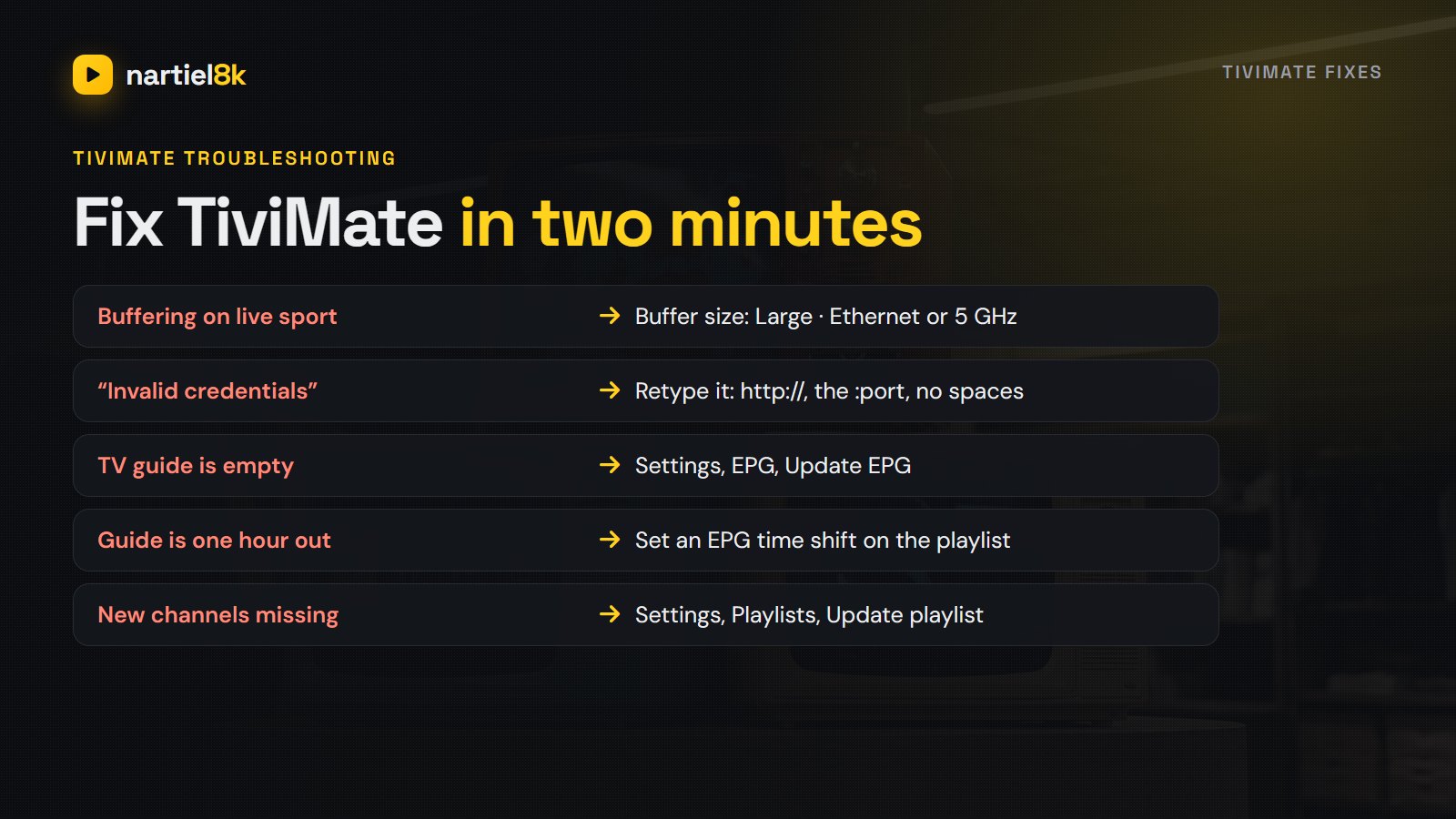
| Problem | Likely cause | Fix |
|---|---|---|
| Login fails or “invalid credentials” | A typo in the details | Retype the server with http:// and the port; check for a space after the password |
| Buffering during live sport | Weak Wi-Fi or a busy device | Ethernet or 5 GHz, buffer size Large, restart the device |
| TV guide is empty | Guide not downloaded yet | Settings, EPG, update the guide and wait a minute |
| Guide is one hour out | Time zone or clock change | Set the device clock to automatic, or add an EPG time shift |
| New channels are missing | An old copy of the playlist | Settings, Playlists, update the playlist |
| “Too many connections” | The login is playing elsewhere | Stop the other stream or add a connection |
Still stuck? The Nartiel8K not working guide goes deeper, the IPTV buffering guide covers the network side, and support on WhatsApp can check your line while you sit in front of the TV.
TiviMate vs IPTV Smarters Pro
Both work with the same Nartiel8K login. TiviMate wins on Android TV and Firestick for its guide, speed, catch-up and recording. IPTV Smarters Pro is free, simpler and also runs on iPhone, iPad and computers, so many households use TiviMate on the TV and Smarters on a phone. See best IPTV player apps and our IPTV Smarters Pro guide.
TiviMate FAQ
Yes. TiviMate is free to download, and the free version plays Nartiel8K with the full TV guide. TiviMate Premium is an optional paid upgrade from the developer that adds favourites, catch-up, recording, multi-view and several playlists.
No. TiviMate is only a player. The channels, the TV guide and the movie library come from the IPTV subscription you add to it, such as a Nartiel8K plan.
Open TiviMate, choose Add playlist, then Xtream Codes, and enter the server URL, username and password from your Nartiel8K message. Select Next, name the playlist and choose Done.
No. TiviMate only runs on Android-based TV devices. On a Samsung or LG TV, use IBO Player or IPTV Smarters Pro, or plug in a Fire TV Stick or a Google TV device and install TiviMate on that.
No. On a Fire TV Stick you install it with the Downloader app, after allowing Downloader to install unknown apps in Developer options.
You can install it on any number of devices, but each plan streams on one screen at a time. Ask us for an extra connection to watch on two TVs at once.
Usually the guide has not been downloaded yet. Go to Settings, EPG, update the guide and wait a minute. If it is still empty, update the playlist as well, or message support.
Start watching
Every Nartiel8K plan includes every channel and works in TiviMate, from $15 a month or $80 a year. Pick one on the pricing page, or start the free 24-hour trial and tell us you use TiviMate.
Related reading
Typical IPTV prices per month and per year, the hidden extras nobody mentions, and how IPTV…
Premier League coverage, Freeview channels, fair pricing in pounds and a ten-minute Firestick setup.