IPTV Smarters Pro is the most-used IPTV player on Amazon devices, and it is not in the Amazon Appstore. That is not a problem with the app — Amazon simply does not list third-party IPTV players — and it is why every install goes through a small free app called Downloader.
The whole job takes about five minutes. This guide covers the 2026 Fire OS layout, the exact settings that have to be switched on first, what to do at the login screen with the three different kinds of credentials providers hand out, and the handful of errors that stop people at step four.
Everything below works on the Fire TV Stick 4K Max, the 4K, the HD Stick, the Fire TV Cube and Fire TV Omni sets. The menus look slightly different on the oldest sticks; where that matters, it is called out.
Key takeaways
- Smarters Pro is not in the Amazon store — it installs through the free Downloader app.
- Turn on “Install unknown apps” for Downloader before you try, or the install silently fails.
- Three login types: Xtream Codes API (username, password, URL), M3U URL, or a device-code activation.
- Use your provider’s own APK link. Random APK mirrors are the main malware vector on Fire TV.
- If the EPG will not load, it is almost always the portal URL or a 1 GB device, not the subscription.
- Keep Downloader installed — you will need it for every app update.
Before you start
Three things make this go smoothly, and all of them are easier to sort out now than halfway through.
- Your line details. Either a username, password and portal URL (Xtream Codes), or an M3U URL. Nartiel8K sends both when your line is created.
- A working internet connection on the Firestick. Settings → Network, and confirm the strength is more than one bar.
- Five free minutes. Do not start this three minutes before kick-off — the first EPG download can take a couple of minutes on a big line-up.
Note on versions:
there are two apps with similar names — IPTV Smarters Pro and IPTV Smarters Player Lite. Pro is the one this guide installs, and the one with the better EPG and multi-screen layout.
Step 1 — Allow apps from unknown sources
Fire OS blocks sideloading until you allow it per app. This is the step people skip, and the install then fails with no useful message.
- From the Fire TV home screen, go to Settings (the gear icon on the top row).
- Open My Fire TV — on older sticks this is called Device.
- Choose Developer options. If you do not see it, go back to My Fire TV → About and click the device name seven times to unlock it.
- Turn on ADB debugging if it is offered, then open Install unknown apps.
- Find Downloader in the list and switch it to ON.
If Downloader is not in that list yet, install it first (step 2) and come back here — the toggle only appears for apps that exist on the device.
Step 2 — Install Downloader
Downloader by AFTVnews is a free, legitimate app that is in the Amazon Appstore. It is the standard way to put any sideloaded app on a Fire TV device.
- Press and hold the voice button on the remote and say “Downloader”, or search for it from the magnifying glass.
- Pick the orange icon by AFTVnews and choose Get or Download.
- Open it and accept the storage permission prompt — it needs that to save the APK.
- If you were sent back from step 1, return to Install unknown apps now and enable Downloader.
Step 3 — Download and install the Smarters Pro APK
In Downloader’s Home tab there is a URL field. Type the APK address your provider gave you, press Go, and the file downloads.
- Nartiel8K customers: the current link is in your activation message, and support will resend it on WhatsApp in a few seconds if you have lost it.
- When the download finishes, Downloader shows an install screen. Choose Install, then Done.
- Choose Delete when Downloader offers to remove the APK, then Delete again to confirm. It frees space and nothing is lost.
On APK sources:
use the link from your provider or the developer’s own site. “Modded” or “premium unlocked” Smarters builds from forums and random mirrors are the single most common way Fire TV devices pick up adware.
Step 4 — Log in with your line
Open IPTV Smarters Pro. It asks you to accept the terms, then offers three ways in. Use whichever matches the details you were sent.
Xtream Codes API — the recommended one
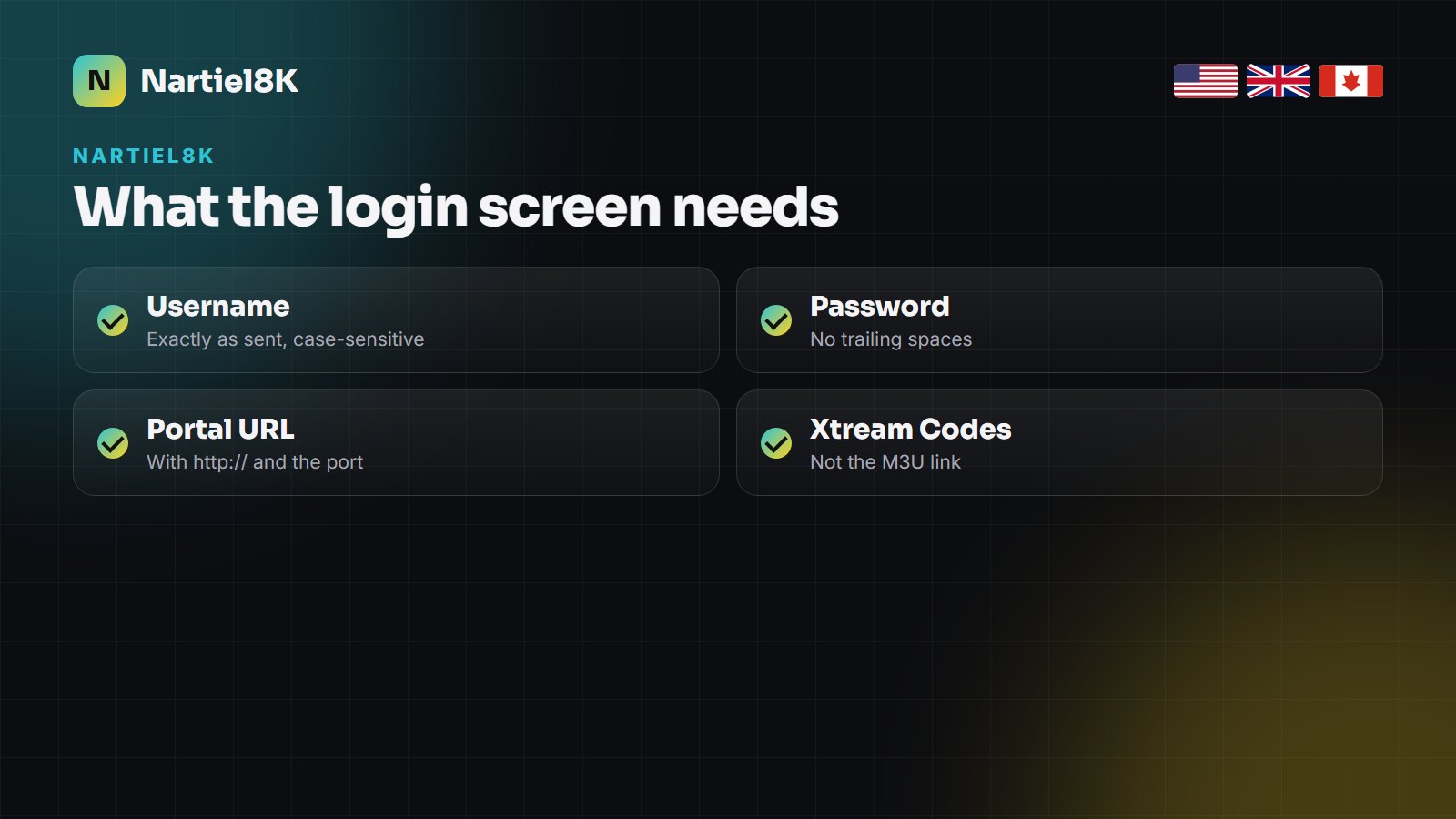
- Choose Login with Xtream Codes API.
- Any name: whatever you want to call the profile, for example “Living room”.
- Username and Password: exactly as sent, including capitals.
- URL: the portal address, with
http://orhttps://and the port if there is one. - Choose Add User. The app loads your channel groups, then the guide.
This is the method to prefer: it gives you the EPG, catch-up, VOD categories and series metadata. An M3U line gives you channels and little else.
M3U URL
Choose Login with M3U URL, give the profile a name, paste the full M3U address and add it. If the list loads but has no programme guide, that is expected — switch to the Xtream Codes details if your provider gave you both.
Device code activation
Some providers activate by code: the app shows a device key, you send it to support and the line is attached remotely. If your provider works this way, send the code and wait for confirmation before touching anything else.
When it does not work
Five problems account for nearly every failed install, and all of them are quick to fix.
| Symptom | Cause | Fix |
|---|---|---|
| “App not installed” | Unknown apps not allowed for Downloader | Settings → My Fire TV → Developer options → Install unknown apps → Downloader ON |
| Downloader says parse error | Partial or wrong-architecture download | Delete the file and download again on a stable connection |
| “Invalid username or password” | Typo, expired line, or wrong URL/port | Re-enter carefully; confirm the line is active with support |
| Channels load, no EPG | Wrong portal URL, or 1 GB of RAM | Use the Xtream Codes URL, not the M3U one; on an HD Stick expect slow guides |
| Everything buffers | Device or network, not the line | Test the same line on a phone; if that is smooth, the Firestick or Wi-Fi is the limit |
Two more worth knowing. If the app opens to a black screen, clear its cache in Settings → Applications → Manage installed applications rather than reinstalling. And if playback stops exactly when a second TV starts watching, your plan’s device limit is the cause — not a fault.
If Smarters Pro is not for you
Smarters Pro is the safe default, not the only option. Two alternatives install the same way through Downloader.
- TiviMate — the best channel grid and recording on Android TV; the useful features need the paid Premium tier.
- XCIPTV — lighter than Smarters and noticeably quicker on older sticks.
- Smarters Player Lite — the stripped-back sibling; fine if the Pro layout feels heavy.
Any of them accepts the same Xtream Codes details, so you can install two and keep one as a backup. That is worth doing: when a player update misbehaves, having a second app already configured turns an evening of troubleshooting into a thirty-second switch.
Related reading on this site: the Smarters Pro feature walkthrough, TiviMate on Nartiel8K, Nartiel8K on Firestick and the broader Firestick install guide if you would rather use a different player.
For match days, read the Nartiel8K sports guide: 12,000+ sports channels and how to keep a big game smooth.
Setup guides on other services
If you are setting up a different device, or want a second walkthrough to compare against, these are worth a look.
- GreatestIPTV — Firestick, Roku and Smart TV setup guides
- KiloTV — player comparisons and a large troubleshooting library
- TrendyScreen — TiviMate tutorials and device walkthroughs
- VizWriting — beginner IPTV guides and playlist help
- NordicCast — Nordic and European setup guides
IPTV Smarters Pro on Firestick — common questions
No. Amazon does not list third-party IPTV players, so Smarters Pro has to be sideloaded with the free Downloader app from the Appstore. The app itself is legitimate; it is the store policy that forces the extra step.
Sideloading is safe when the APK comes from your provider’s own link or the developer’s site. The risk is the source, not the method: “modded” or “premium unlocked” builds from forums and mirrors are the main way Fire TV devices pick up adware.
Almost always because “Install unknown apps” is still off for Downloader. Go to Settings → My Fire TV → Developer options → Install unknown apps and switch Downloader on, then run the install again.
The player is free. It carries no channels of its own — you supply a line from a provider. Anyone selling you “IPTV Smarters with channels included” is selling a subscription, not the app.
Either you logged in with an M3U URL instead of the Xtream Codes details, or the portal URL is slightly wrong, or the device has only 1 GB of RAM and is struggling with a large guide. Try the Xtream Codes login first — it fixes it most of the time.
Smarters Pro for a free, complete player that handles live TV, VOD and series out of the box. TiviMate if you want the best channel grid and recording and do not mind paying for Premium. Both install the same way, and many people keep both.
That is the whole job: allow unknown apps, install Downloader, pull the APK from your provider’s link, and log in with the Xtream Codes details rather than the M3U ones.
Keep Downloader on the device for updates, keep the activation message somewhere you can find it, and install a second player as a backup while you are in there. If anything on your Nartiel8K line refuses to load after that, message support with the exact error text — it is usually a one-minute fix on our side.
Related reading
Every regional hockey feed, English and French channels, the US networks and fair pricing — what…
There is no Nartiel8K APK. Which standard IPTV player to install on a Firestick, Android TV,…